
Games Database
ChessTake includes a built-in Games Database search tool for loading real historical games directly into the app.
The current database contains over 10 million games.
What it does
- Find players quickly by surname prefix.
- Pick the correct player from a detailed candidate list.
- Search games for one player or for a specific matchup.
- Load selected game PGN directly into the board.
Open the Games Database dialog
- Open ChessTake.
- Click the Games DB button/menu entry.
- Enter a surname prefix for Player 1.
- Click Find and choose the correct player.
- Optionally enable VS mode and choose Player 2.
- Click Search Games.
Choosing players
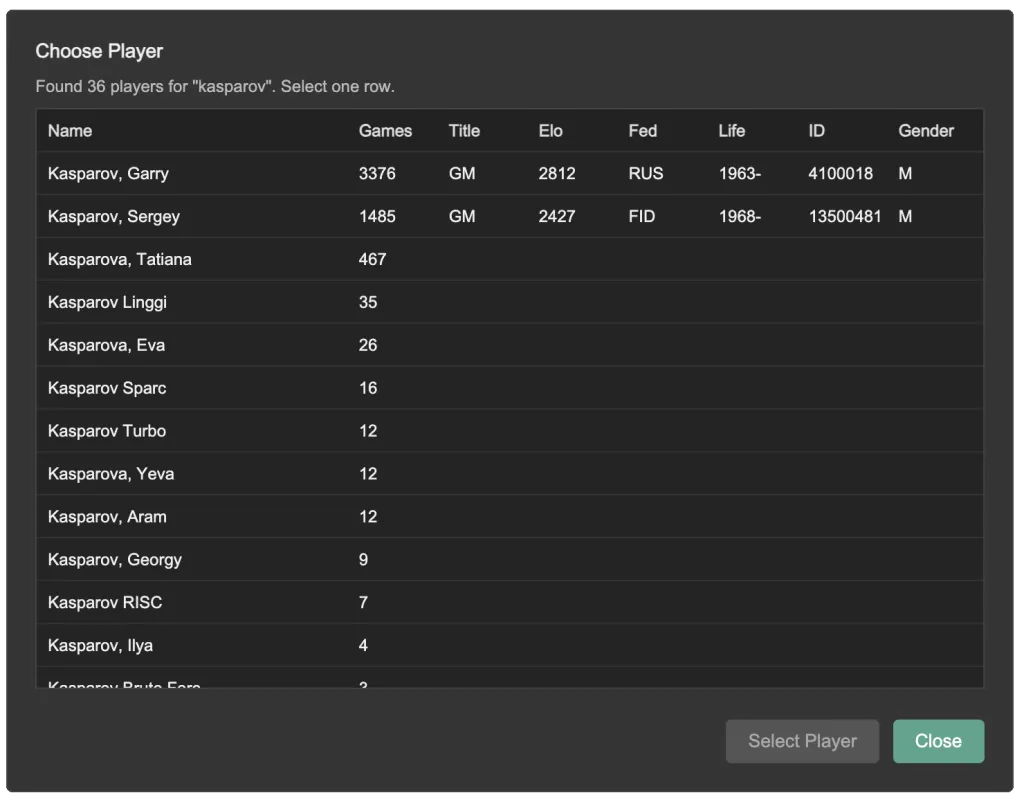
The Choose Player dialog shows player metadata to help disambiguate similar names:
- Name
- Game count
- Title
- Elo
- Federation
- Life years
- ID
- Gender
Select one row, then click Select Player.
Searching games
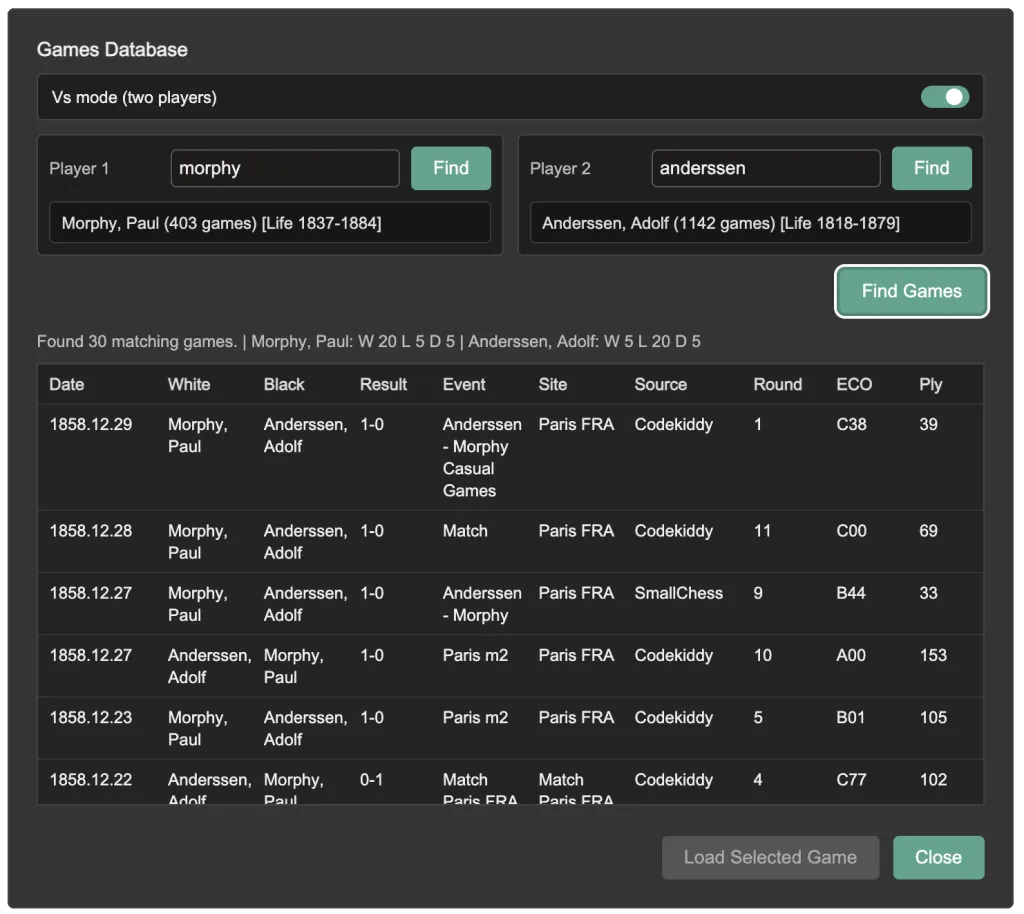
After selecting players:
- One-player mode: returns games involving Player 1.
- VS mode: returns games where Player 1 and Player 2 played each other.
The results table includes key metadata such as date, players, result, event, site, source, round, ECO, and ply count.
Select a game row, then click Load Selected Game to open its PGN in the board.
Mobile behavior
On smaller screens, the result rows compact to two lines for readability while preserving column grouping.
Notes
- Player search is prefix-based, so shorter prefixes produce more matches.
- If no games are returned, verify selected players and VS mode settings.