ChessTakeDocumentation
Instructions and reference
ChessTake is a free tool for chess enthusiasts to study games, build opening repertoires and train their opening memory.
Designed for mobile and desktop, it’s a companion for players of any level who want to analyse, learn, and improve.
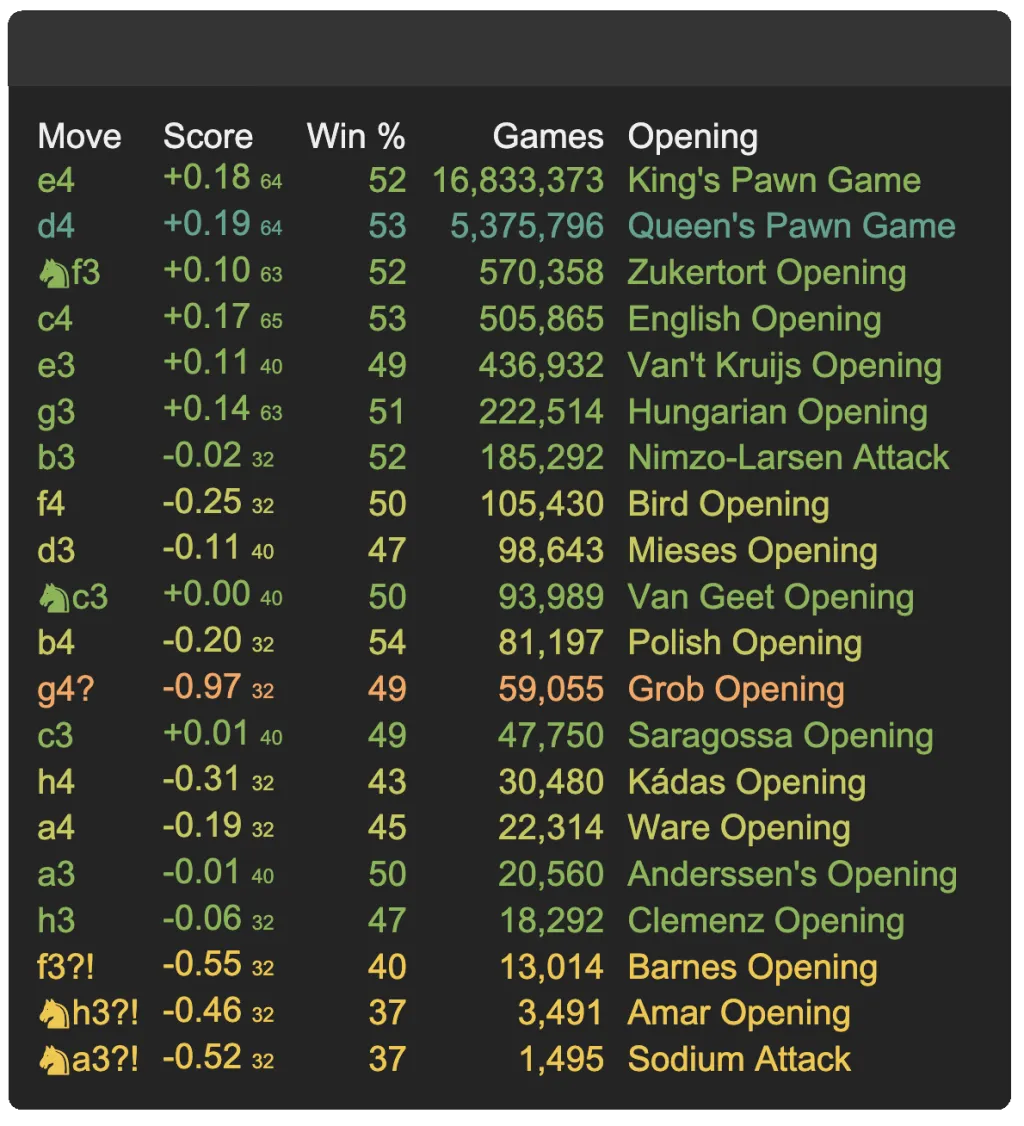
ChessTake has information on around 45 million Lichess games and some 250 million evaluated positions - such as what moves are most typically played in a position and their accuracy.
Simply go to the ChessTake App and sign in with Google. This creates a free ChessTake account linked to your Google account email address.
There are 3 panels:
ChessTake has a system menu (hamburger) and other context menus (three dots / right click) and settings dialogs (cog wheel).
There is also an easy access row of buttons below the board:

These buttons, from left to right are:
Games are at the core of ChessTake. You can create them, edit them, import them, load them, analyse them, train with them... and they are stored with your account.
Games can be imported via a PGN, e.g. copied from Chess.com or Lichess, or you can create a New Game from scratch.
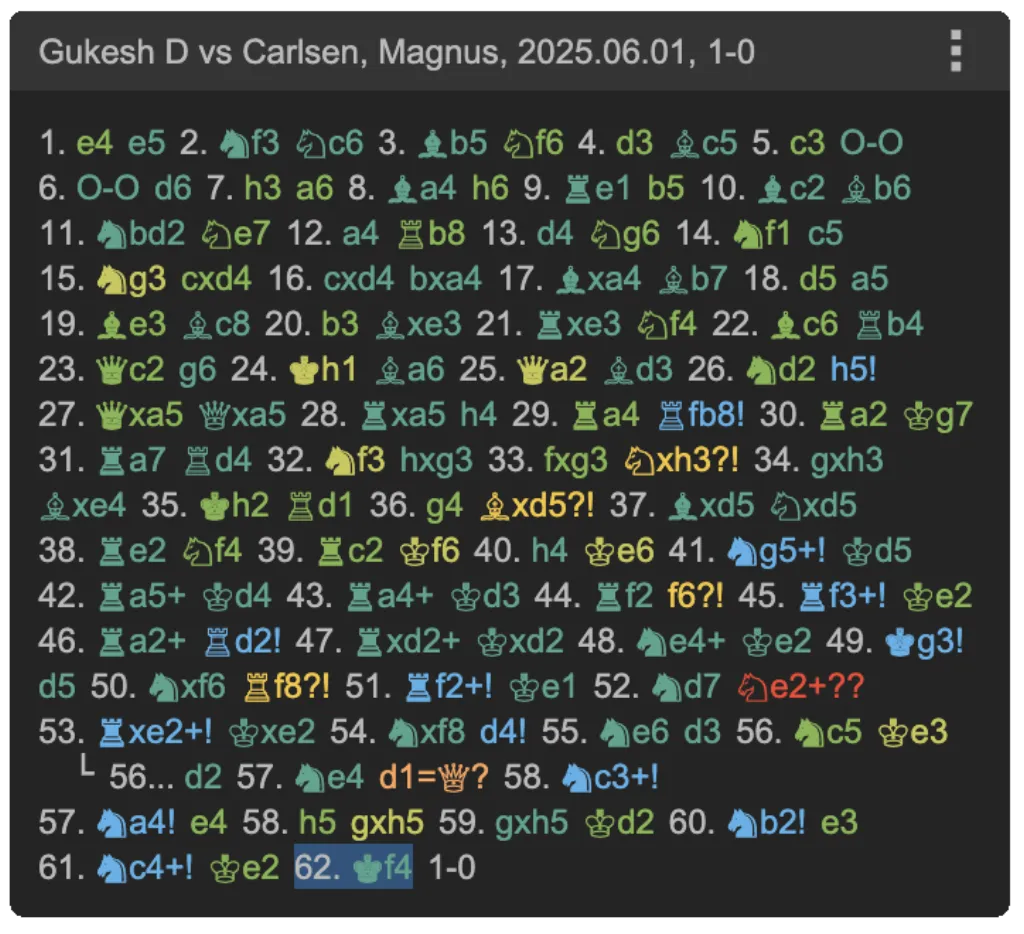
Games can be analysed with the Stockfish engine, at the desired depth, including variations, and the moves are all coloured according to their accuracy.
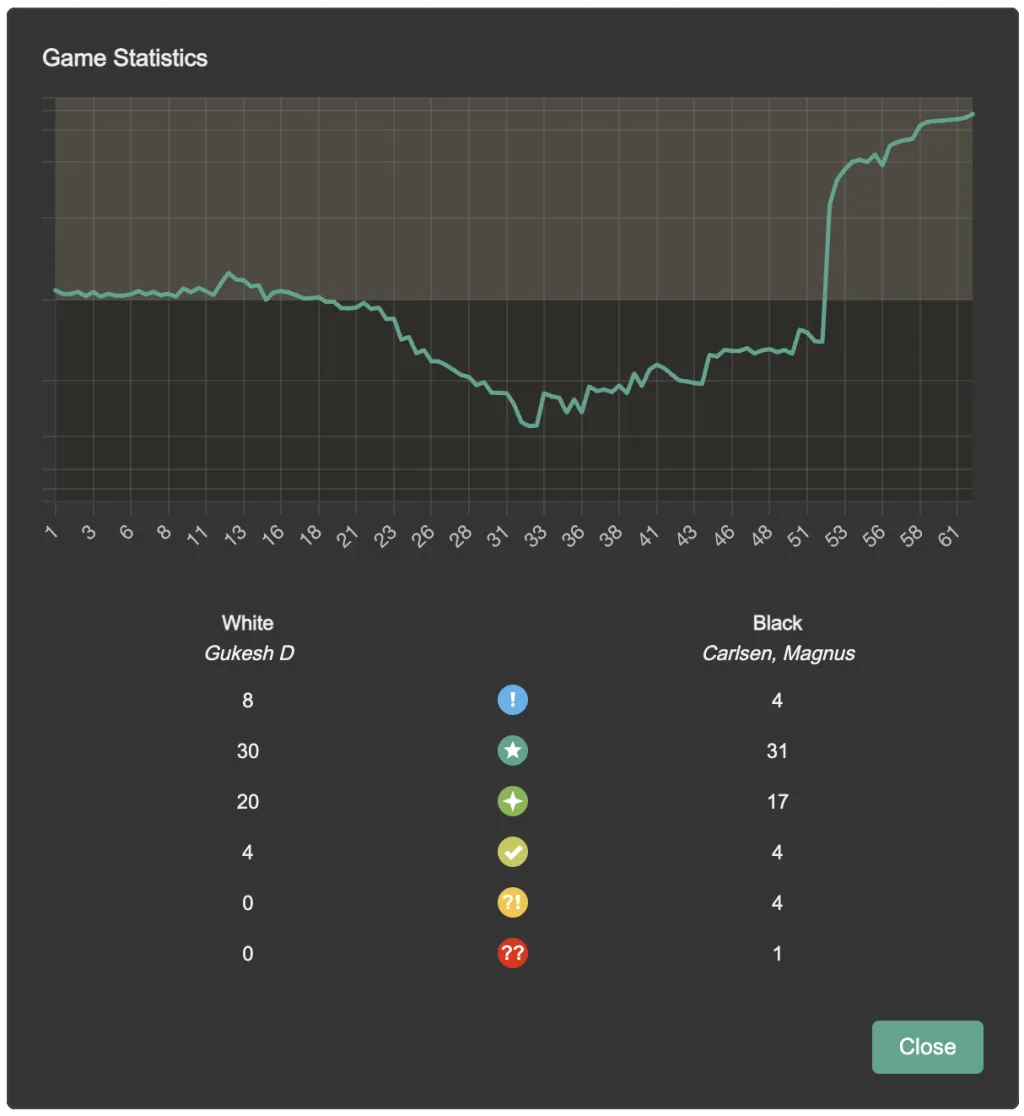
Statistics about the game, including a score chart, are available in the Game Analysis dialog:
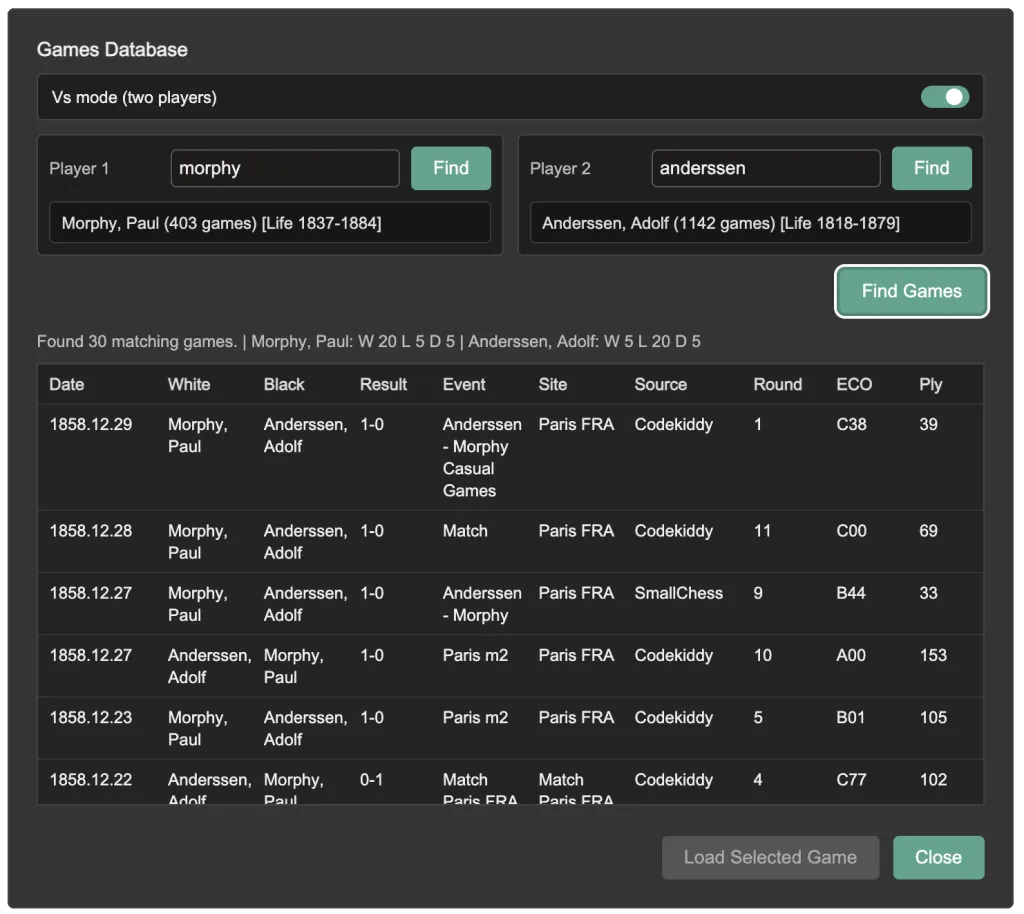
ChessTake now includes a built-in Games Database search dialog for exploring and loading games from a large historical archive.
Use it to:
See the full guide here: Games Database.
A game has a name, a set of tags (such as the names of the players), and a series of moves, variations and comments.
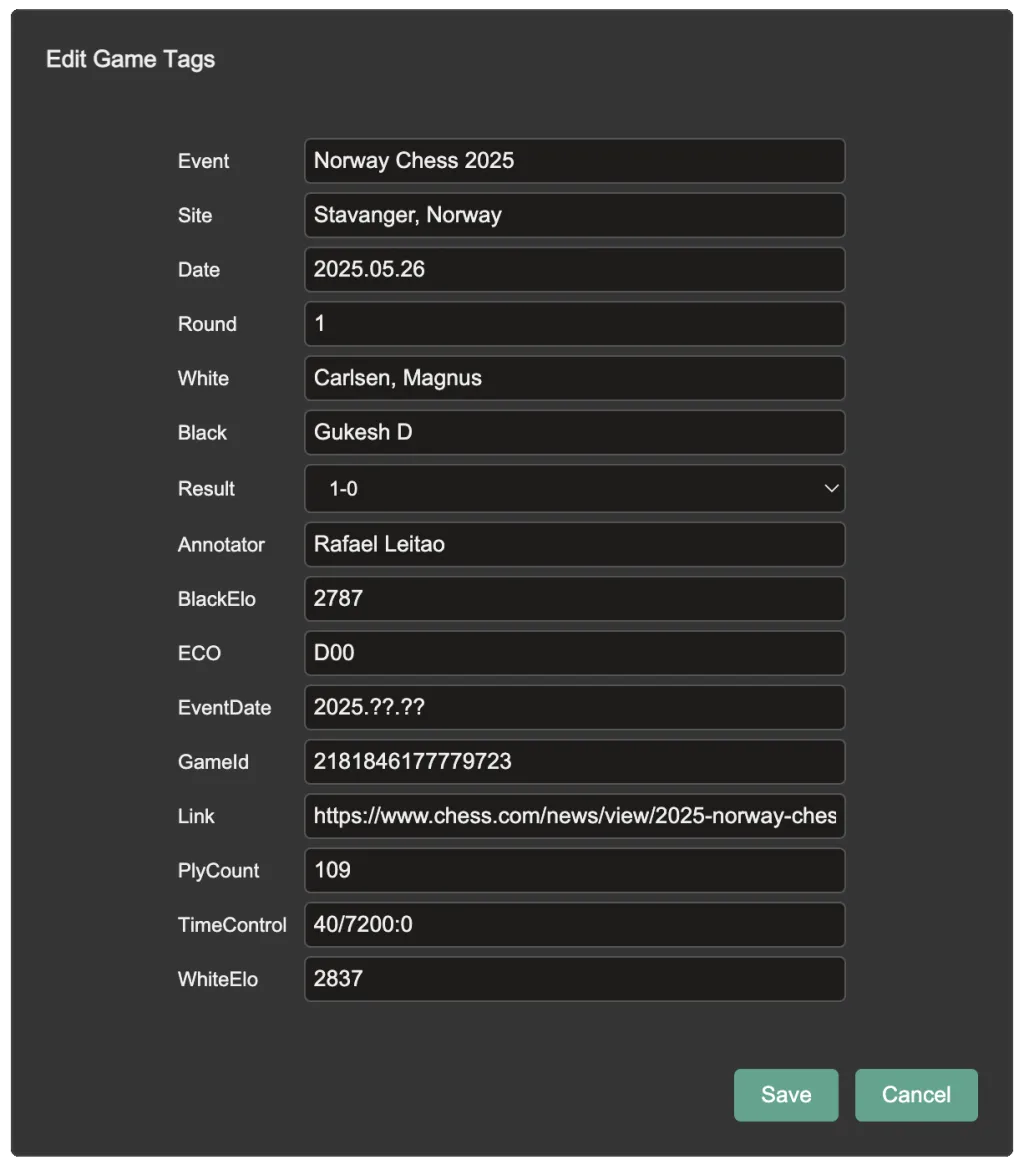
The name can be edited from the game panel. The tags can be edited in the Edit Game Tags dialog.
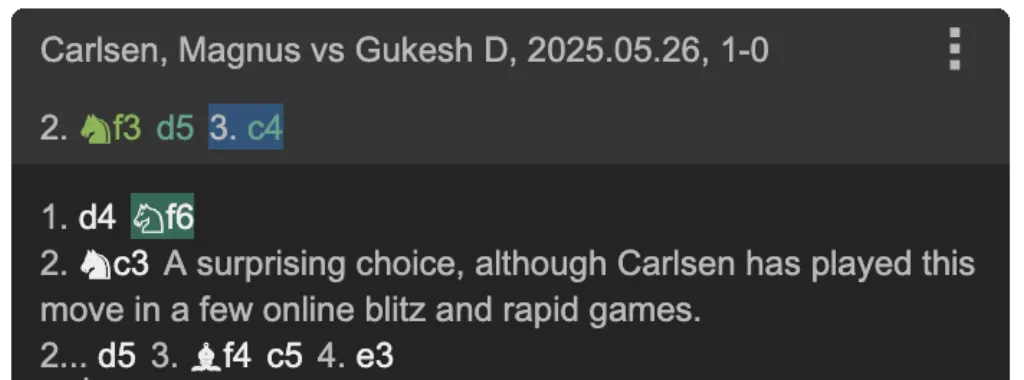
Playing moves on the board will add moves to the game in the Game panel.
If you move back and make different moves these will appear at the top of the panel as a 'temporary variation'. You can add this variation to the game as required.
Moves and lines can be pruned, set as the main line, promoted or demoted in order.
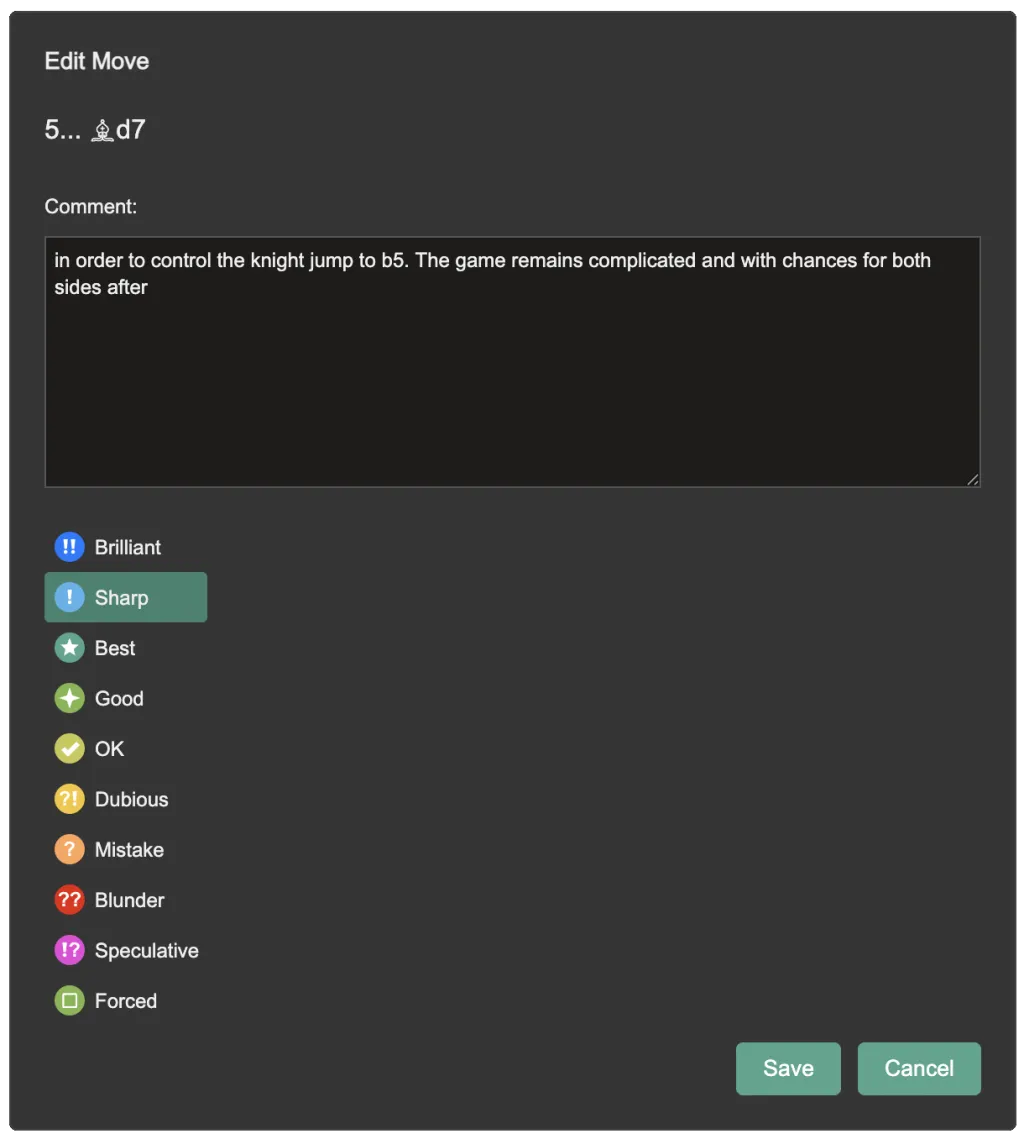
You can add comments to moves as well as move accuracy symbols (NAGs).
Edited games are saved automatically.
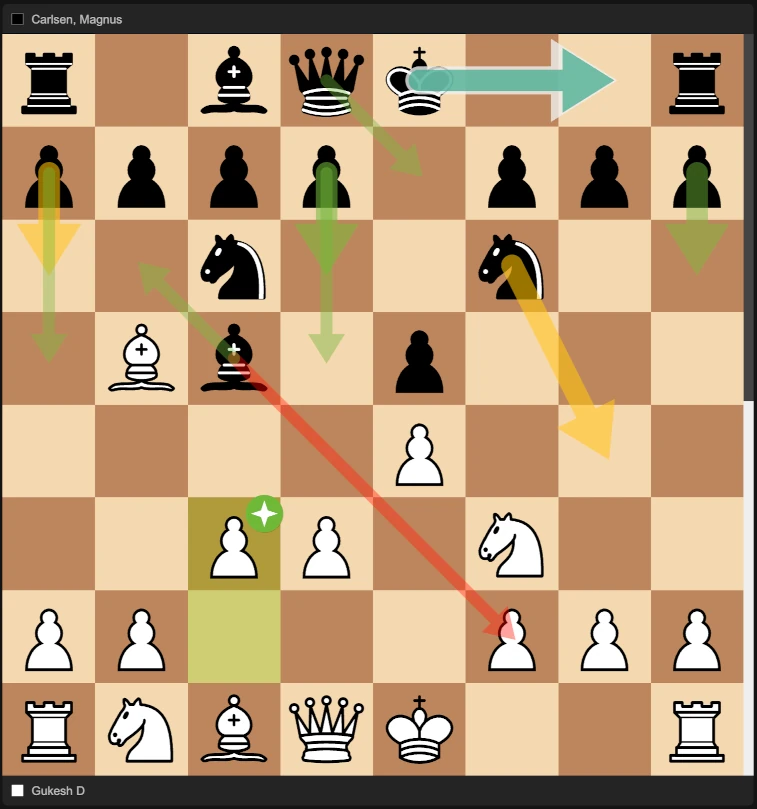
Arrows on the board show either Game Stats or Engine Moves.
The example below shows Game Stats which represent the moves most commonly played on Lichess in this position and their accuracy. Larger, more solid arrows indicate more common moves. The colour shows the move accuracy - e.g. red is a blunder, green is good, teal is the best move. The white arrow indicates the main line next move from the game.
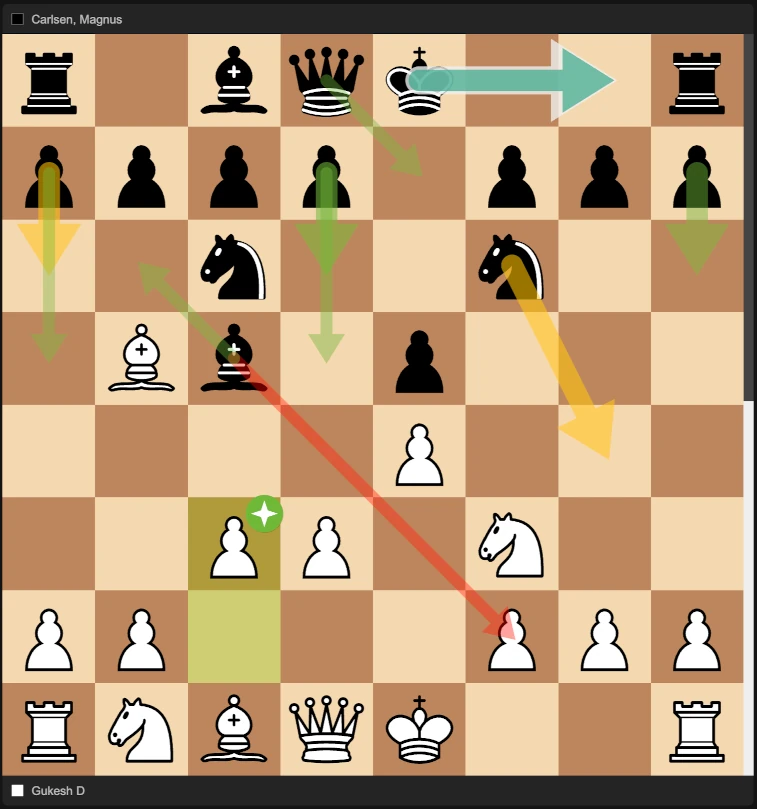
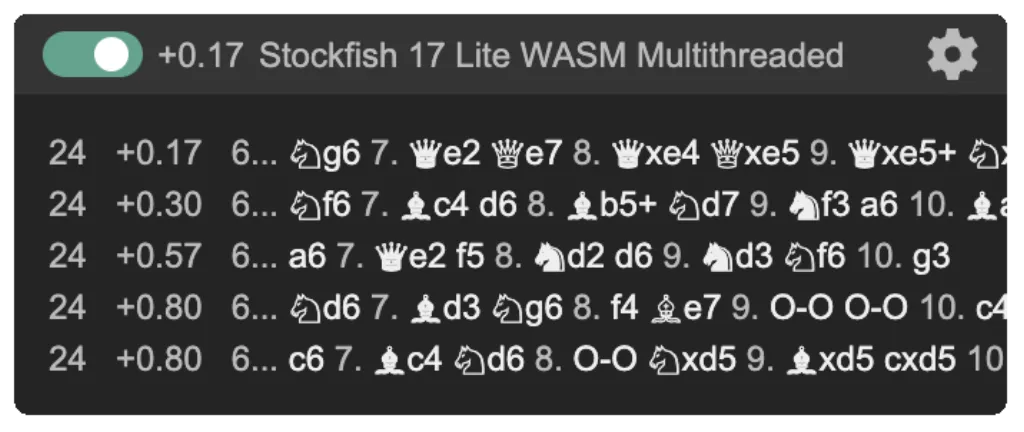
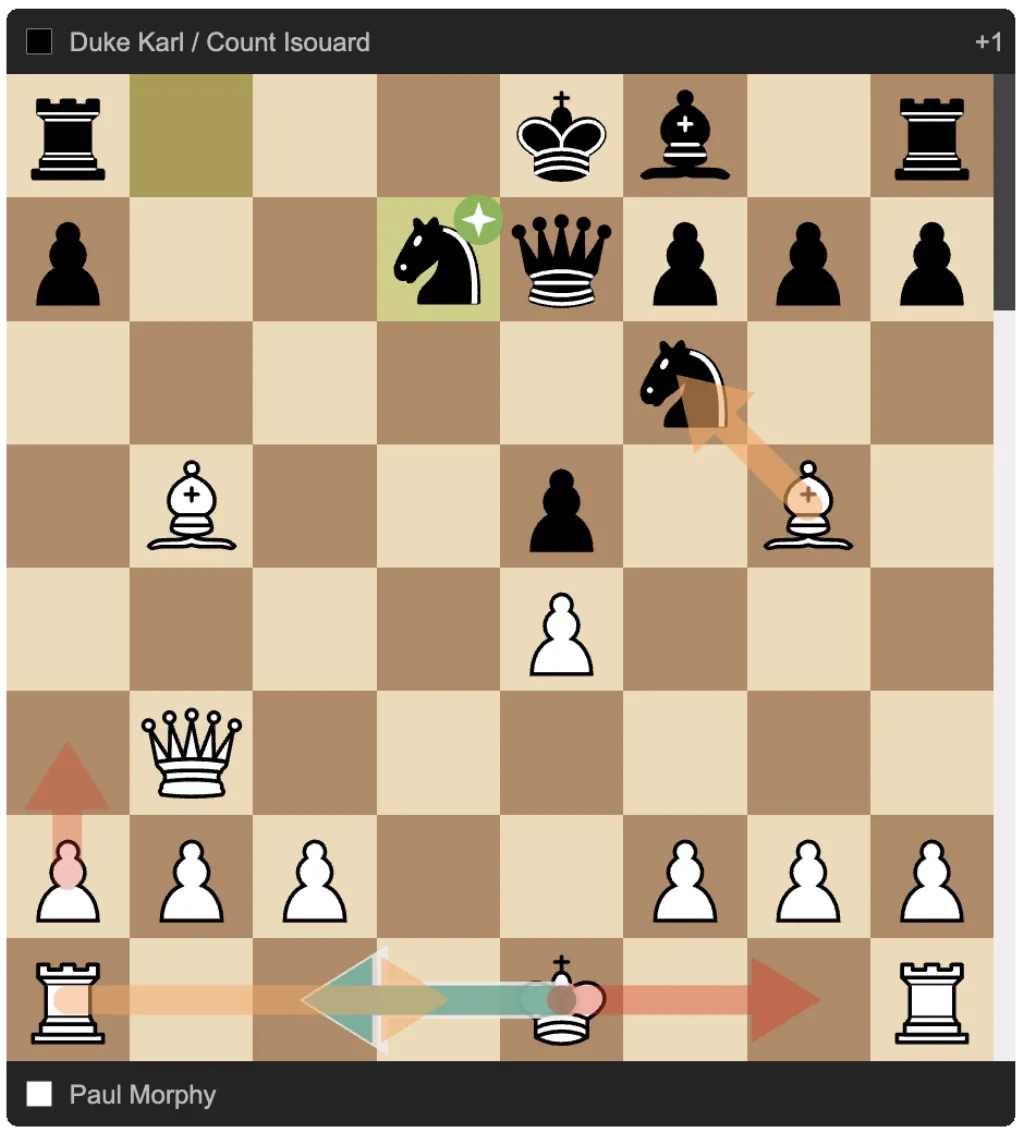
In the second example below, the engine has calculated the top 5 moves and these are shown on the board with arrows. There's only one good move, the best move O-O-O which was played by Morphy. Bxf6 is a mistake. O-O is a blunder.
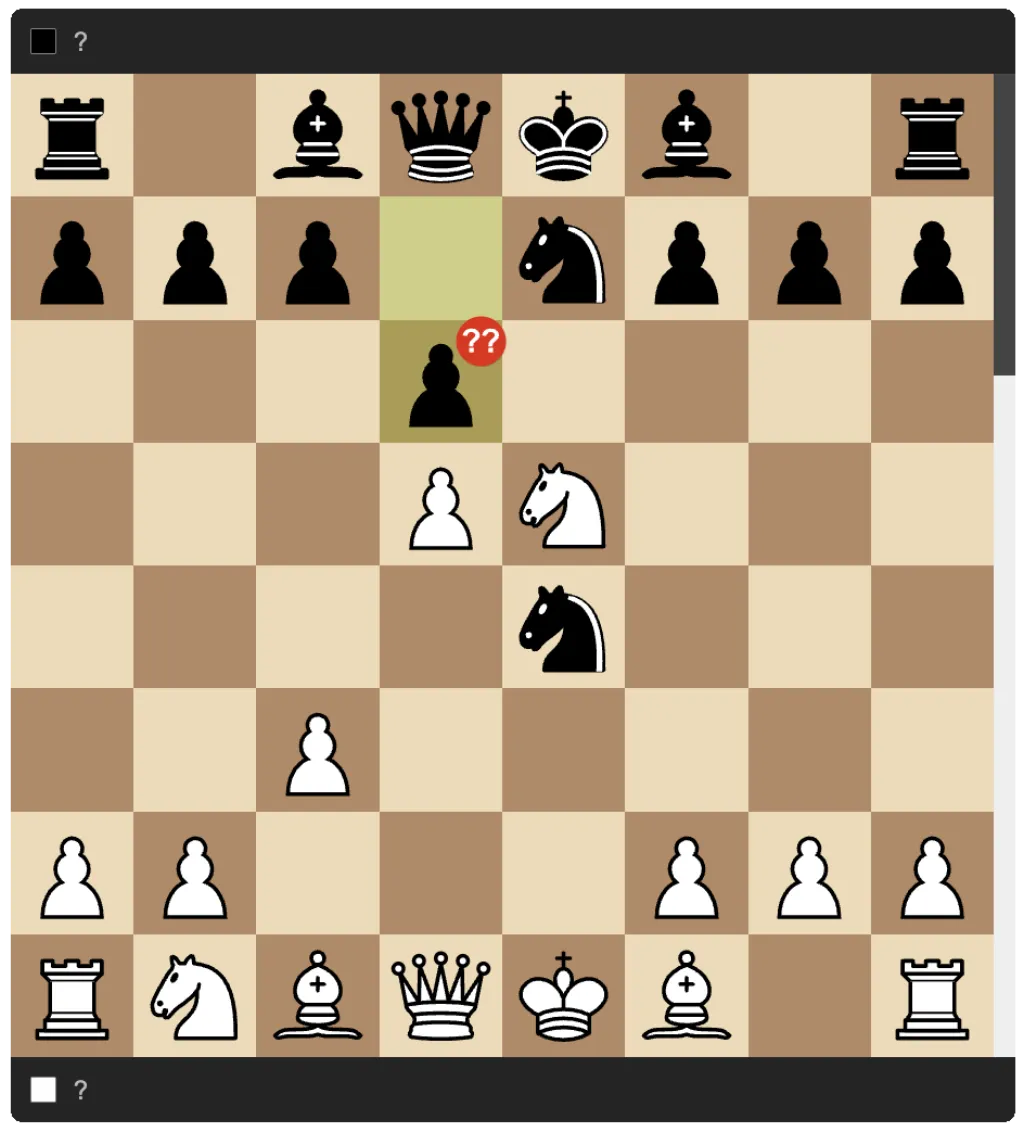
If accuracy information is available for a move (either through engine analysis or move stats), the move quality/accuracy is indicated with an icon. E.g. in the following position d6?? was a blunder.
These accuracy indicators are also referred to by ChessTake as Numeric Annotation Glyph (NAGs).
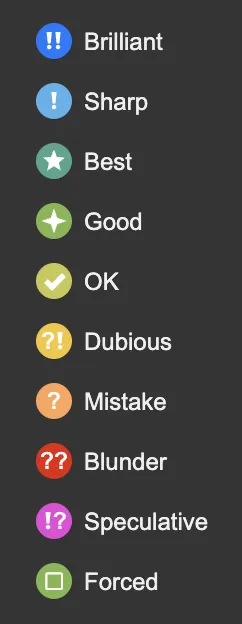
The full range of accuracy icons is as follows:
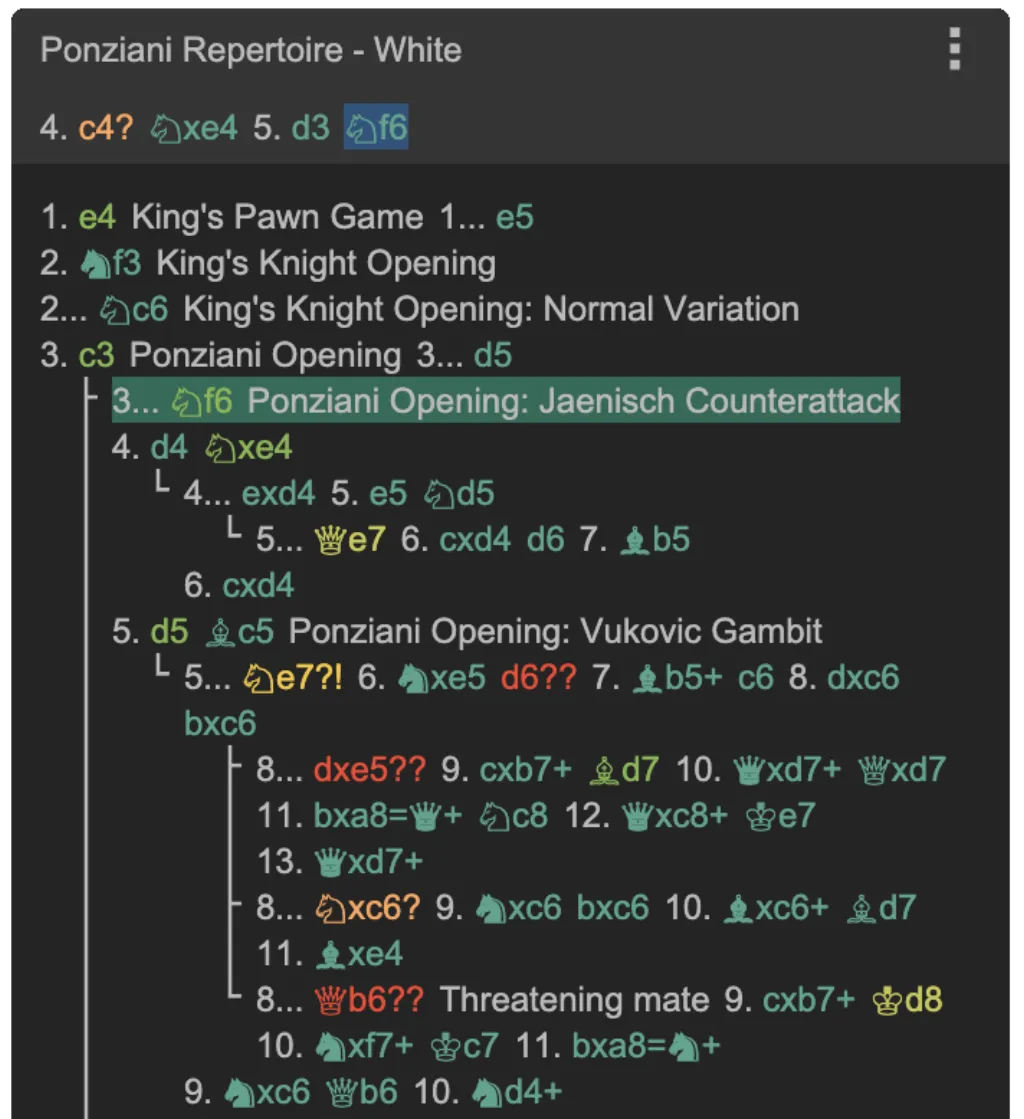
In ChessTake an opening repertoire is a set of one or more games which explores your responsess to likely opponent moves. E.g. you might have a game which records your responses in the Ponziani line when playing as White. In a given position, you can explore common responses and how you have decided to respond to them. Using the Move Stats panel and the on-board arrows is great for doing this. You make the moves in the game, building up variation lines.
Below is an example of opening moves for playing the Ponziani as White:
Typically for any given opponent move you would record one response - the response you like to play - though you can record as any moves as you like.
ChessTake doesn't have limits on the number of moves in a game like some other programs do. You can record all your opening theory in one game if you like, but it might get a bit unwieldy.
The best way to learn openings is to play them, so ChessTake has a train mode where it plays as your opponent and you have to recall your responses. Choose a mode based on how you want to practice: Opening Practice (real-world replies by Elo), Repertoire Drill (stay inside your game tree), or Repertoire Random (jump to later positions in your tree).
To train an opening, load an opening game you've created, move to the position in the game from where you want to start training from, and press the train button (the Knight).
In the following example, Black has played Nf6 against White's move c3. We are training as White and have to make the next move. Note in train mode the Game Panel only shows moves up to the current position so you can't just look ahead.
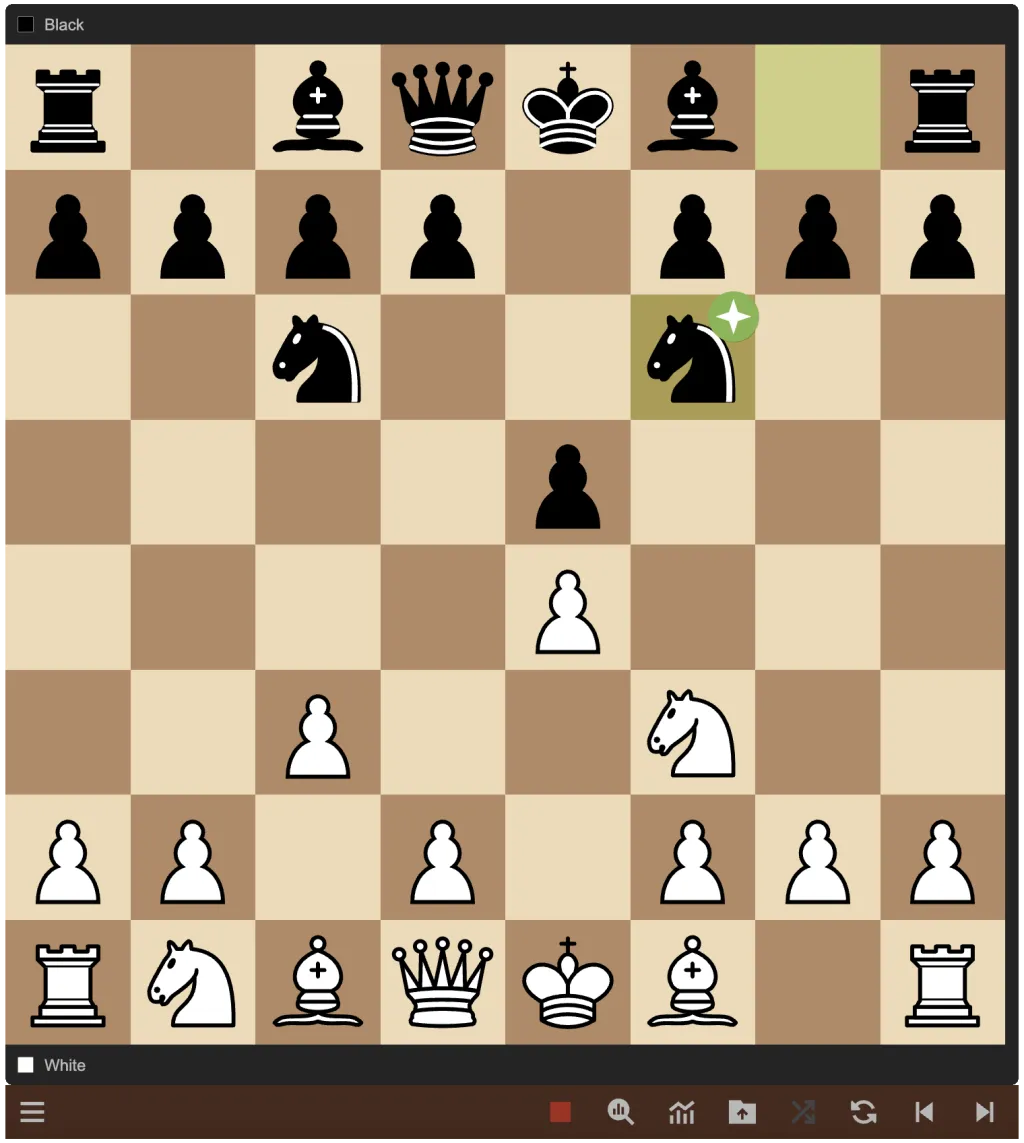
In the opening game the correct response is recorded as d4. We play Nxe5 instead and the square goes red.
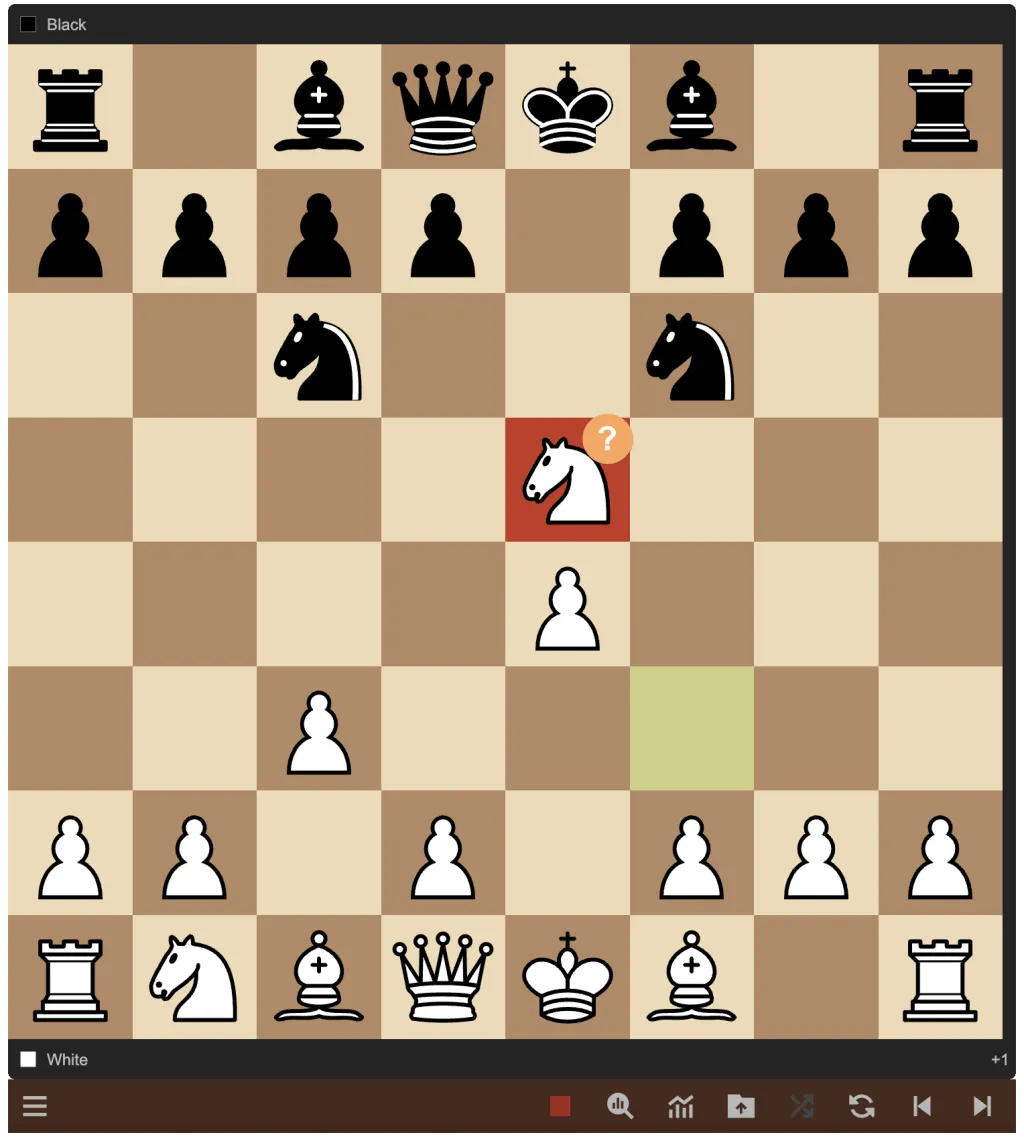
This is the wrong move - it gets retracted automatically and we try again.
This time we play the correct d4, and in response ChessTake plays exd4, and now we have to find the next move as White.
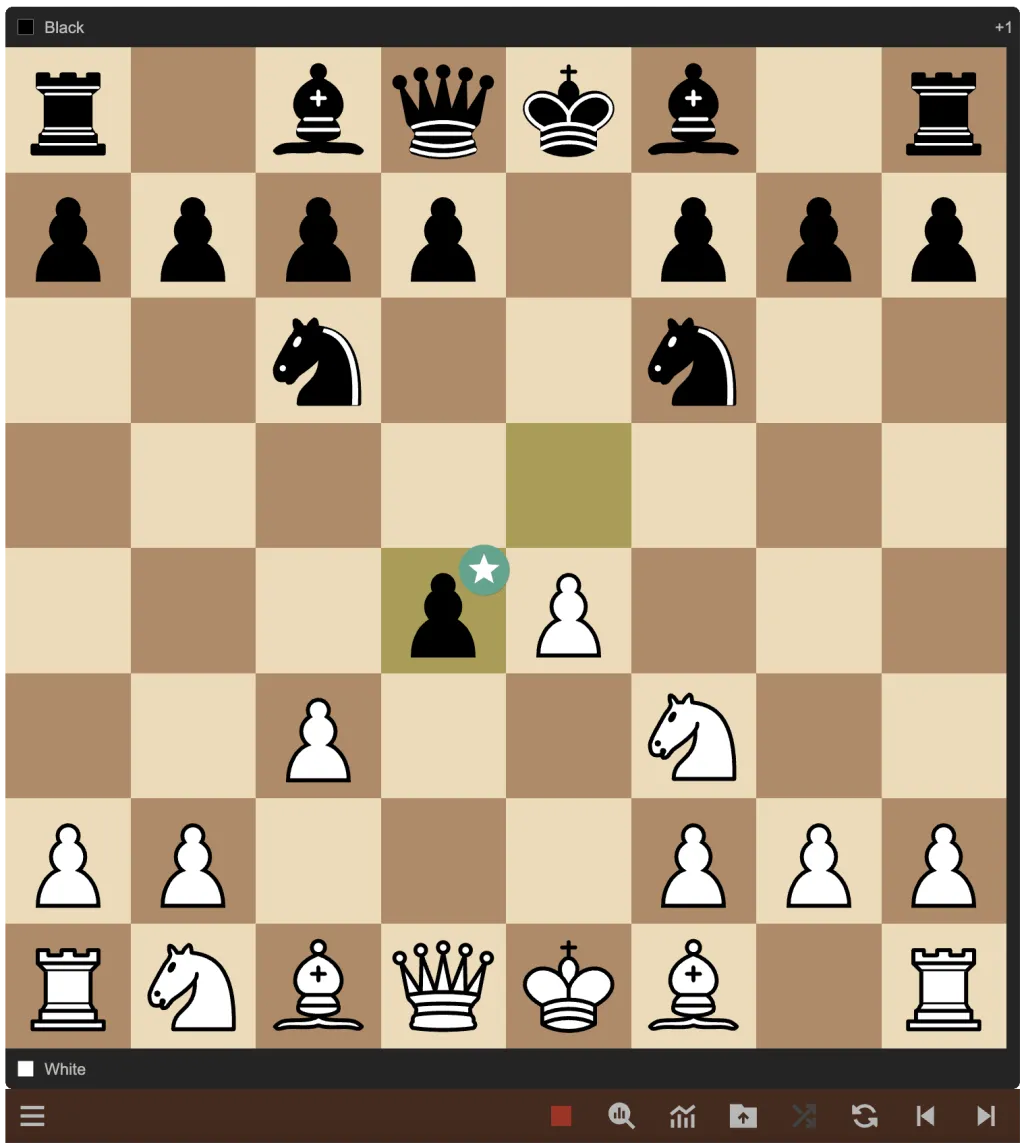
In Repertoire Drill and Repertoire Random, ChessTake only plays responses that are in your openings game (as variations), weighted by real-world frequency. In Opening Practice, it plays real-world replies by Elo and expects Best or Good moves from you.
Training continues like this until the end of a line is reached, after which the board returns to the start of where training was initiated and you carry on.
Since ChessTake chooses lines randomly, as just described, this is a great way to practice all the lines from your openings repertoire game.
For a detailed explanation of the training modes, see Training.
So that's a quick run through the main features of ChessTake.
To give it a try, simply go to the ChessTake App and sign in with Google. It's free.
Please feedback your thoughts, comments and suggestions to contact@chesstake.com. We'd love to hear from you.